Software / Fleet GPS tracking
Fleet Tracking Dashboard
A good dashboard answers the day's questions at a glance: who is moving, who is stopped and what needs attention.
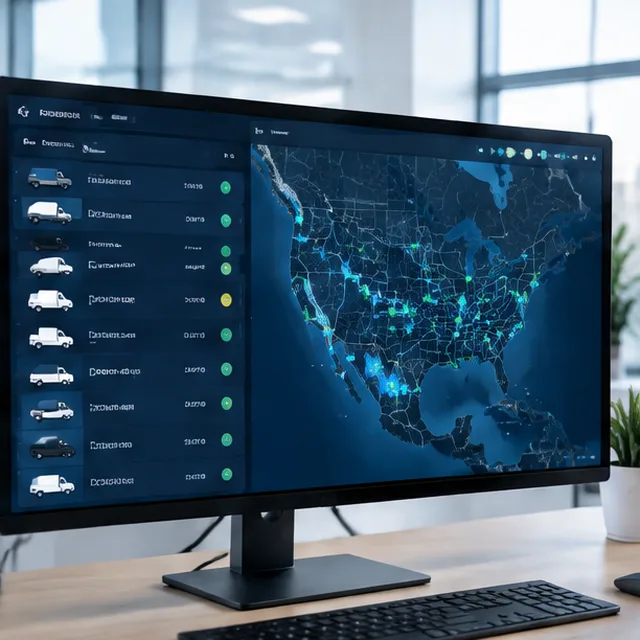
What Fleet Tracking Dashboard covers
The dashboard shows a live map, a vehicle list with status and a feed of alerts. Filters narrow it by group, driver or status, and saved views make each manager's screen their own. It runs in any modern browser.
What you get
- Live map, vehicle list and alert feed on one screen
- Filters and saved views by group, driver or status
- Works in any modern browser
- Role-based access for managers and dispatchers
How it works
- Choose your viewsWe set up views for each role.
- Group the fleetVehicles are grouped by team and region.
- Train usersA short walkthrough shows the screens.
Good to know
Getting the most from Fleet Tracking Dashboard
More fleet GPS tracking services
- Mobile App for Fleet Managers
- Custom Fleet Reports and Analytics
- API and Software Integrations
- Fleet Management Software
- Historical Playback and Trip History
- Multi-Location and Multi-User Access
- Switching from Another GPS Provider
- Rental and Leasing Fleet GPS Tracking
- OBD-II Plug-In GPS Trackers
- Route Optimization and Planning
Questions
Fleet Tracking Dashboard: common questions
Do I need to install software?
No. The dashboard runs in a browser.
Can managers see only their group?
Yes. Access can be limited by group.
Do I need to install software?
No. The dashboard runs in a web browser, and there is an app for phones.
Fleet GPS tracking near you

Free quote
Talk to us about Fleet Tracking Dashboard
Send the form or call. We reply with a clear next step and a written quote.